
BlazeDS – Open Sourcing Remoting and Messaging

All of us had our share of fun playing Adobe Flash Player games that were available on thousands of websites, such as Miniclip, Y8, etc to name a few. These Flash games mainly had 2 parts. The Client Side code ( which was written mainly by using Apache Flex SDK ) And The Server Side Data which was generally stored in Java Servers. Now the role of BlazeDS here was to enable effective communication between the Client Side Flash Apps and the Java Servers. This allowed features such as remote procedure calls and fast messaging essentially making the user experience a lot more rich and fast.
Table of Contents
What is BlazeDS?
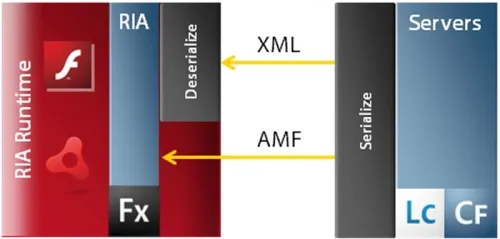
To discuss in a more formal term, BlazeDS is a
“server-based Java remoting and web messaging technology that allows users to connect to back-end distributed data and push data to Apache Flex and Adobe AIR Rich Internet applications (RIA).”
Don’t be confused by the term Rich Internet Applications/ Flex Applications, as they mainly refer to Adobe Flash Apps
Now that we have understood the importance of BlazeDS in client-server communication, let’s try to understand a little more about its history
Before being called BlazeDS, the Remoting and Messaging technology was a part of Adobe LiveCycle Data Services.
On December 13, 2007, Adobe donated the framework to Apache and made it Open Source so that all major platforms could have taken advantage of it.
Let’s now have a look at the 2 main features of BlazeDS,
Messaging Technology
The messaging technology of BlazeDS allows instant-real-time messaging between the server and the client, this is particularly useful for apps that require high speed and lower latency.
You might now wonder, why use BlazeDS when we could have just used a simple JSON request/response mechanism for communication? That’s because BlazeDS supports sending data in a format called AMF ( Action Message Format ) https://en.wikipedia.org/wiki/Action_Message_Format.
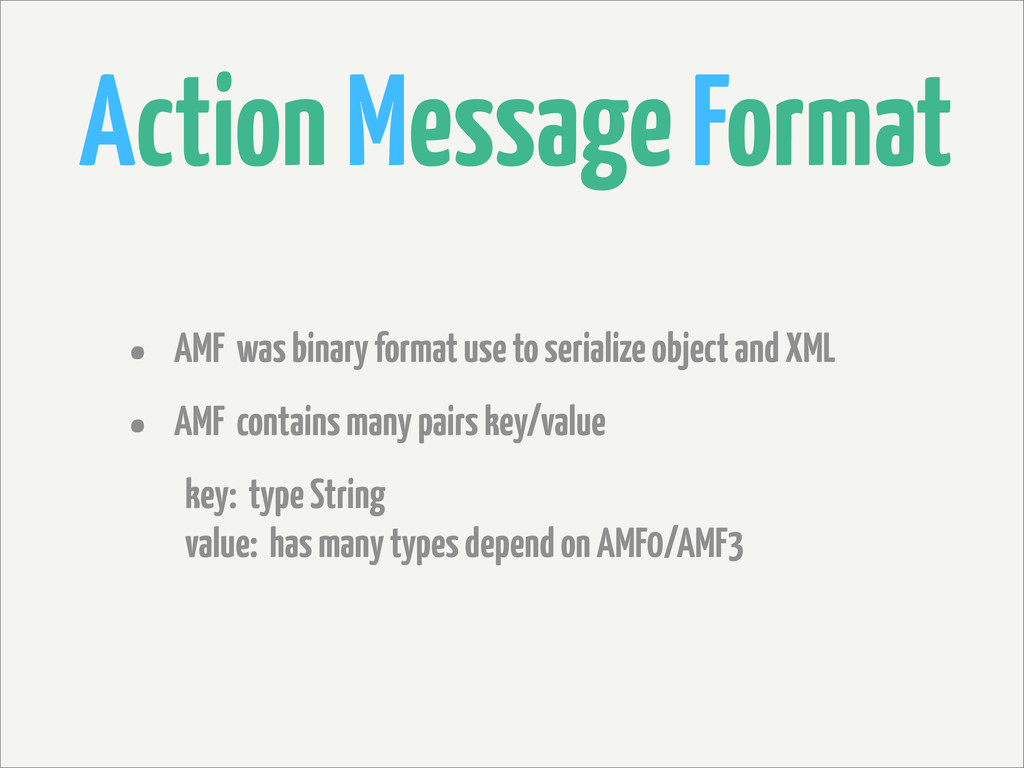
If you don’t know what AMF is, it is used to serialize object graphs, particularly ActionScript objects ( Adobe Flex apps are written in ActionScript ). Serialising essentially means converting data into a different format, usually into a stream of binary bytes to perform fast transfers.
After conducting a few benchmark tests, this format was found to be particularly fast
When compared to standard formats such as Ajax JSON and Flex HTML
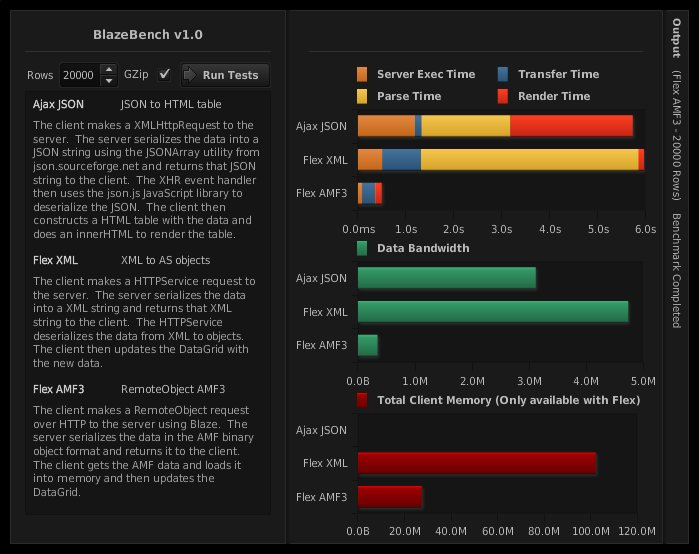
As you can see in the above-benchmarking test, we are comparing 4 parameters,
- Server Exec Time, Time is taken for the server to respond to the data request
- Transfer Time, Time is taken for the data to be transferred, from the Server to the Client
- Parse Time, Time is taken for the data to be decompressed/deserialize and loaded into the memory/ram
- Render Time, Time is taken for the browser to render the data onto the screen
It is observed that Flex AMF Outperforms Ajax JSON and XML. In every test parameter.
This was the kind of thing that made it so popular and that’s why this format was used in BlazeDS
Remoting Technology
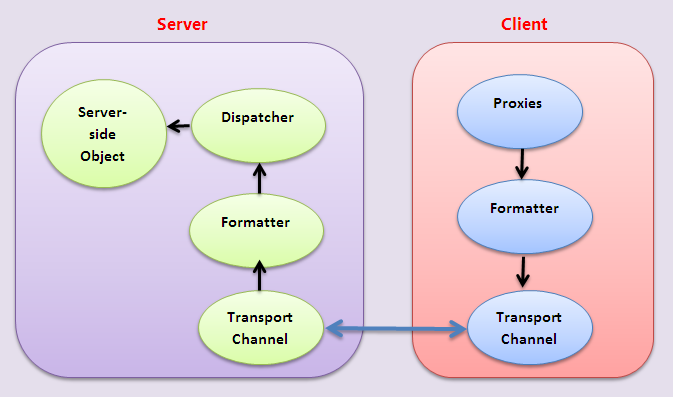
The essence of remoting technology is it allows us to Remotely Invoke server functions / serve methods from our Client Side Flex application.
Let’s now have a walkthrough of how this kind of thing works
- Firstly the Flex Application sends a request to BlazeDS asking it to invoke a server method/function
- Then the Java server processes the requests and returns the data as a Java Object
- This is then serialized into AS3 Objects ( Recall that Flex Applications are written in AS3 – Action Script )
- Then they are finally transported over HTTP in Action Message Format ( AMF )
Now it should be clear to you what the difference between Messaging and Remoting technology is, in messaging the server initiates the push of data to the client. Whereas, in Remoting, the client sends a request to invoke the server function
Advantages & Disadvantages of BlazeDS

Advantages
- The AMF ( Action messaging format ) that BlazeDS uses, is much faster than traditional XML or JSON formats of that time
- Very Low Latency for communication
- Can easily manage communication channels and types between the flex application and server
- Can be even called from HTML & Java Server Pages
- Easy to configure in Any Java Server
- It’s free & Open source
- Can be integrated with frameworks like Spring
- Communication is done using standard TCP/IP-based protocol which makes it much faster
- Allows pushing data from server to client using BlazeDS Messaging
Disadvantages
As with advantages, any framework is also bound to have disadvantages and its very own weak points. Although BlazeDS doesn’t have many it’s still important to discuss them, to get to know it better
- The AMF format that BlazeDS uses, is not a very popular/standard format
- As with Adobe Flash being out-of-date and being phased out, the popularity of BlazeDS has taken a huge hit
- The Framework BlazeDS also has very little to no Community Support
- Compared to the modern languages of today, code written in Action Script is usually harder to debug
- Does not support Client Synchronisation
- AMF format does not provide the ease of use that formats such as JSON do
Alternatives to BlazeDS

Although BlazeDS was the market leader of its time, it still had several competitors that promised to match and even outperform BlazeDS.
Not just BlazeDS even the format which it used to transfer data AMF ( Action Message Format ) Had several different implementations, such as
- AMFPHP is the PHP specification of the AMF format
- pay MF the python implementation of the AMF format
- OpenAMF is the open source implementation of the AMF format
- ruby amp The Ruby implementation of this format
Now coming to BlazeDS, these were its alternatives
- Granite DS or Granite Data Services was the open source alternative to BlazeDS, this project added several new features to BlazeDS such as OpenJPA Persistence Support and even added support for Google App Engine, however unfortunately it was not able to match the popularity of BlazeDS as many developers still preferred to use BlazeDS despite missing out on latest features that GraniteDS was providing
Other lesser known alternatives to the framework were,
- Cinnamon
- Solstice
Conclusion: Current State of BlazeDS
With the downfall of Adobe Flash Player, tools such as BlazeDS have also become obsolete these days. The only real use of Blaze is happening in Spring Framework, which is also a very rare occurrence.
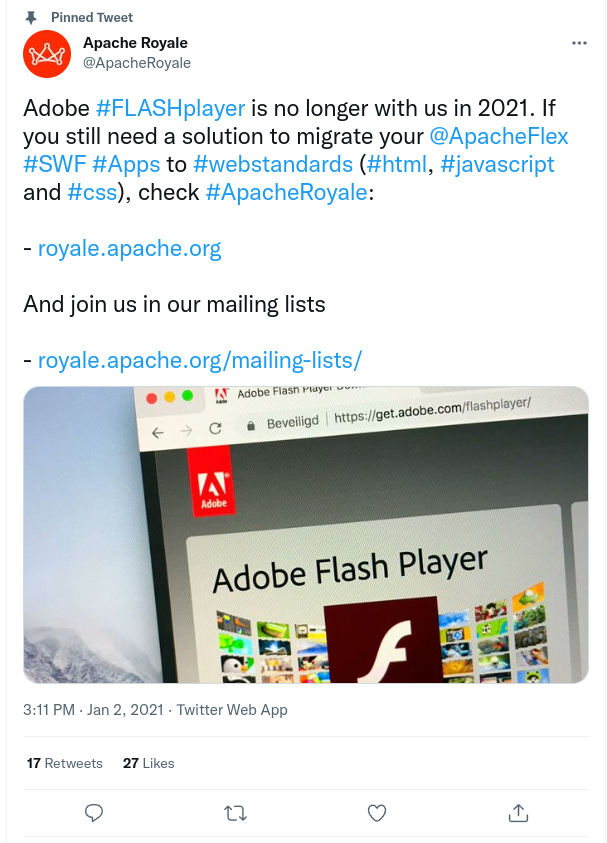
Even Adobe has accepted the end of the era of Flash Players, and Flex Apps, and has advised users to migrate to the web standards such as HTML, CSS, Javascript, and JSON. If you would like to learn more about the current state of BlazeDS and Apache Flex you can check out their new project Apache Royale on their Twitter (@ApacheRoyale)